Exo Bubble Ninja
Publisher Description
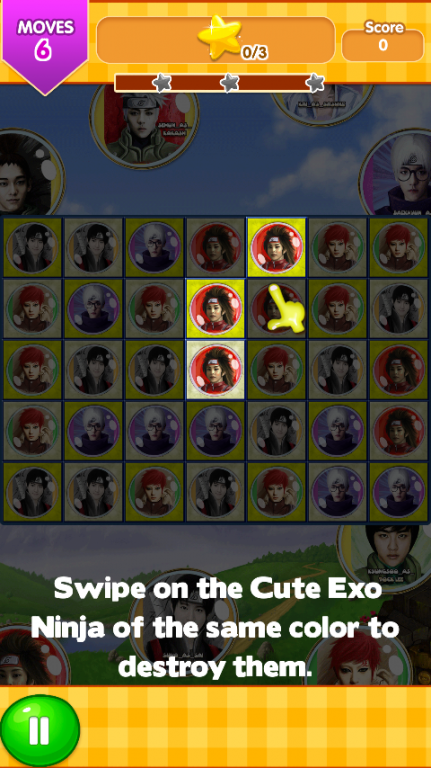
How to play Exo Bubble Ninja:
1. Connect three or more same Ninjas to score points.
2. Archive the target points to level up.
3. Eliminate the more Ninjas quickly can get extra scores.
4. Get sprinkling flower to blow bombastic score.
5. Note the movement of time and the numbers if you do not want exposed to excessive BOM Ninja Ranjau .
TIPS:
- Ninja Bomb to crush/bust Ninja break base on a line
- Rescue my Ninja by frozen sleep.
- Hourglass countdown to rush you get more score
- Splash special Ninja item, it can link any another Ninja to crush Ninja link match.
- Ninja Blast: blast all Ninjas in some line
Exo Bubble Ninja is cloned by Ninja forest, but have more challenging with Splash special Ninja item,Ninja boom and sprinkling flower.
Splash the Ninjas!
Play amazing and tasty Ninja Rescue - Exo Bubble Ninja!
Want a relaxing game for a while?
Exo Bubble Ninja is your choice, it is a simple and addict game for relax.
About Exo Bubble Ninja
The company that develops Exo Bubble Ninja is Emobid. The latest version released by its developer is 1.0 .
To install Exo Bubble Ninja on your Android device, just click the green Continue To App button above to start the installation process. The app is listed on our website since 2016-06-03 and was downloaded 8 times. We have already checked if the download link is safe, however for your own protection we recommend that you scan the downloaded app with your antivirus. Your antivirus may detect the Exo Bubble Ninja as malware as malware if the download link to com.emobid.ExoBubbleNinja is broken.
How to install Exo Bubble Ninja on your Android device:
- Click on the Continue To App button on our website. This will redirect you to Google Play.
- Once the Exo Bubble Ninja is shown in the Google Play listing of your Android device, you can start its download and installation. Tap on the Install button located below the search bar and to the right of the app icon.
- A pop-up window with the permissions required by Exo Bubble Ninja will be shown. Click on Accept to continue the process.
- Exo Bubble Ninja will be downloaded onto your device, displaying a progress. Once the download completes, the installation will start and you'll get a notification after the installation is finished.
Program Details
System requirements
Download information
Pricing
Version History
version
posted on 2016-06-03
New Genre
